


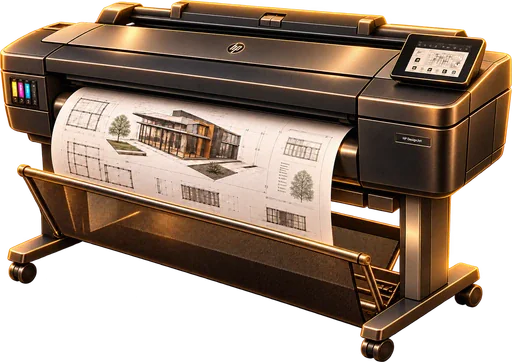
Service and repair of large-format plotters in Wrocław















Online initial diagnosis (describe the problem via WhatsApp, our website or by phone) | FREE | up to 15 min |
Initial diagnosis when you bring the device to our service centre, 15 min (also if you decide not to go ahead with the repair) | FREE | up to 15 min |
Diagnosis and repair quote (if the repair goes ahead) | FREE | 1–2 days |
Diagnosis and repair quote (if you decide not to go ahead with the repair) | 150 zł | 1–2 days |
Written technical report (in addition to the full diagnosis, with photo documentation) | + 50 zł | 1–2 days |
Urgent service (where possible, we speed up the repair at no extra charge) | FREE | to be agreed |

Pickup of the device from the customer (up to 2.5 km from our service centre; 5 km in total, both ways) | 60/100/15060 / 100 / 150 | 1–2 days |
Delivery of the repaired device to the customer (up to 2.5 km from our service centre; 5 km in total, both ways) | 60/100/15060 / 100 / 150 | 1–2 days |
Pickup or delivery beyond 2.5 km from our service centre (surcharge for each kilometre above 5 km of the total route) | 60/100/15060 / 100 / 150 + 2 zł/km | 1–2 days |
Urgent service (where possible, we handle your pickup or delivery first) | FREE | to be agreed |
CLEANING AND MAINTENANCE comprehensive cleaning, inspection and calibration of the plotter • thorough cleaning of the plotter interior, guides, rollers and media path, • cleaning and inspection of the carriage, encoder strip and drive parts, • cleaning and inspection of the service station and ink supply system, • inspection of the print head and the ink system for blockages, • inspection and maintenance of mechanical parts; lubrication as recommended by the manufacturer, • calibration of the device and a final test of print quality and media feed. | 350/500/700350 / 500 / 700 | 1–3 days |

Clearing jams in the media path (paper or material gets stuck during printing) | 180/250/350180 / 250 / 350 | up to 1 day |
Adjusting the media transport path (skewed feeding, skewed prints) | 220/300/400220 / 300 / 400 | 1–2 days |
Cleaning and adjusting transport rollers (slipping, uneven or intermittent feed) | 220/300/400220 / 300 / 400 | 1–2 days |
Replacing transport rollers (worn rollers, material pickup problems) | 250/350/450250 / 350 / 450 + parts | 1–3 days |
Repairing the roll feed mechanism (material is not picked up or unwound) | 300/400/550300 / 400 / 550 + parts | 1–3 days |
Replacing the roll feed mechanism (damaged roll feed or unwinding mechanism) | 300/450/600300 / 450 / 600 + parts | 1–3 days |
Repairing the paper cutter (paper is not cut or jams during cutting) | 220/300/400220 / 300 / 400 + parts | 1–2 days |
Replacing the paper cutter (blunt, chipped or broken blade, damaged cutter carriage) | 220/300/400220 / 300 / 400 + parts | 1–2 days |
Cleaning and maintaining the carriage rail (noisy operation, uneven carriage movement) | 220/300/400220 / 300 / 400 | 1–2 days |
Replacing the carriage drive belt (skipping, noise or no carriage movement) | 250/350/450250 / 350 / 450 + parts | 1–2 days |
Replacing the encoder (positioning errors, uneven or shifted print) | 220/300/400220 / 300 / 400 + parts | 1–2 days |
Replacing the carriage signal ribbon cable (print head communication errors, interrupted operation) | 250/350/450250 / 350 / 450 + parts | 1–2 days |
Repairing the carriage drive (the carriage does not move or stops during operation) | 300/450/600300 / 450 / 600 + parts | 1–3 days |
Replacing the carriage drive motor (no movement, drive errors or the carriage stopping) | 300/400/550300 / 400 / 550 + parts | 1–3 days |
Replacing the carriage (damaged mechanism or print head mounting) | 300/450/600300 / 450 / 600 + parts | 1–3 days |
Cleaning / unclogging the print head (missing lines, colours or nozzles) | 250/350/450250 / 350 / 450 | 1–2 days |
Restorative print head flushing (dried-out print head, missing nozzles or persistent print gaps despite standard cleaning) | 250/350/500250 / 350 / 500 | 1–3 days |
Replacing the print head (damaged print head, persistent print problems) | 300/500/800300 / 500 / 800 + parts | 1–2 days |
Cleaning / restoring the service station (print head drying out, streaks, cleaning problems) | 250/350/450250 / 350 / 450 | 1–2 days |
Replacing the service station (the print head is not cleaned or parked correctly) | 250/350/450250 / 350 / 450 + parts | 1–2 days |
Removing air from the ink system (air in the tubes, intermittent printing) | 220/300/400220 / 300 / 400 | 1–2 days |
Flushing the ink system (dried or contaminated ink) | 300/450/600300 / 450 / 600 | 1–3 days |
Repairing the ink supply system / dampers / tubes (no ink flow, air in the system, uneven colour or a print head supply problem) | 350/500/700350 / 500 / 700 + parts | 1–3 days |
Replacing the ink supply system (damaged ink delivery system) | 400/600/800400 / 600 / 800 + parts | 1–3 days |
Replacing sensors (paper, cover, position or movement errors) | 250/350/450250 / 350 / 450 + parts | 1–2 days |
Repairing wiring and connections (random errors, communication dropouts) | 250/350/500250 / 350 / 500 + parts | 1–2 days |
Repairing the power supply (the plotter does not start or switches off during operation) | 350/500/700350 / 500 / 700 + parts | 2–4 days |
Replacing the power supply (no power or a damaged power module) | 250/350/450250 / 350 / 450 + parts | 1–2 days |
Repairing the control board (no communication, electronics or control errors) | 450/650/900450 / 650 / 900 + parts | 2–5 days |
Replacing the control board (damaged mainboard or control module) | 250/350/500250 / 350 / 500 + parts | 1–2 days |
Media advance calibration (shifts, uneven spacing or skew) | 200/280/350200 / 280 / 350 | up to 1 day |
Print head and positioning calibration (misaligned lines, outlines or colours) | 220/300/400220 / 300 / 400 | up to 1 day |
ICC colour profiling (incorrect colour reproduction or the need to match the plotter to a specific ink and media) | 200/300/400200 / 300 / 400 | 1–2 days |
Print quality check and settings correction (drop in quality without a fault — material, density or speed settings) | 180/220/280180 / 220 / 280 | up to 1 day |
Firmware update (software errors or stability problems) | 150/180/220150 / 180 / 220 | up to 1 day |
Installing / configuring drivers (the computer does not see the plotter or prints incorrectly) | 150/150/150150 / 150 / 150 | up to 1 day |
Network configuration (no connection to the plotter over the network) | 150/150/150150 / 150 / 150 | up to 1 day |
Configuring RIP software (problems with sending jobs, media and colour settings, or communication with the plotter) | 150/200/300150 / 200 / 300 | 1–2 days |

Found the company online — complete professionalism and good communication right from the start👍 My Epson printer was serviced practically on the spot — full trust — invoice after the job, paid by bank transfer😀 Recommended👌👍

I have used this computer repair service several times and can recommend it wholeheartedly. Only here did they solve the problem I had with my screen. I brought in both a laptop and a printer, and everything was done very efficiently, carefully and quickly. Very friendly staff and a friendly little dog, Umka.

Great service, they saved my work! Huge thanks to the guys for the fast, efficient repair of my printer, which jammed paper right in the middle of a busy period at work. The diagnosis was done in front of me, I was given a fair price straight away with no hidden costs, and I picked up the working printer the very next day. I definitely recommend this place for complete professionalism, express speed and lovely service!

Fast, efficient and affordable printer repair. They managed to save the print head, which means they saved my printer. Very polite people. They also helped me a lot with my car, which broke down not far from their premises. Thank you so, so much. I am immensely grateful and recommend them to everyone!!!

I recommend this printer repair shop. They work very efficiently and my inkjet printer works like new

I highly recommend this service! My HP laser printer was leaving ugly streaks on the pages and I was sure an expensive repair was ahead. Thanks to the service’s expert diagnosis, it turned out a simple toner replacement was enough. I would never have figured that out myself, and thanks to their honesty I fixed it cheaply and quickly. A big plus for professionalism and for not talking you into unnecessary costs!

Thank you for the fast and professional printer repair and for changing its language from German to Polish. I recommend this service and Mr Andrzej.

I brought my computer in for repair and I am very satisfied. Fast diagnosis, an honest approach and professional service. Everything was fixed efficiently, and I also got some useful tips for the future. Definitely recommended!

Amazing service! Highly recommended. Something happened to my laptop, and there were important documents and work that I had to complete. I brought my laptop in the evening, when the workshop was almost closing, but the employee Max, given the urgency of the matter, stayed and fixed everything quickly, which saved me, thank you very much! Very good work and friendly staff who will help with any problem. Thank you very much again!

Wonderful service and complete professionalism! They quickly diagnosed the problem with my computer and repaired it efficiently. They also helped me with my printer, which works flawlessly after the repair. Everything was explained thoroughly, the prices are fair, and the staff are very pleasant and to the point. I definitely recommend this service to anyone looking for expert help with computers and printers. I will certainly use it again